How to Choose a Tablet - Buyer's Guide
Last updated: 25 Apr 2026
The First Choice: iPadOS, Android, or Windows
The tablet operating system decision is more consequential than the laptop one because tablet app ecosystems are more divergent.
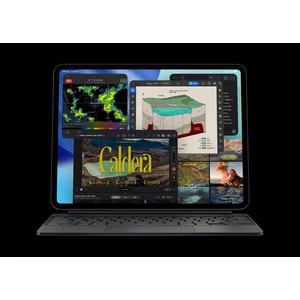
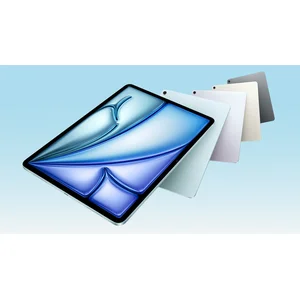
iPadOS (iPad Pro M5, iPad Air M3, iPad mini, base iPad) has the strongest pro creative app ecosystem: Procreate, Final Cut Pro for iPad, Logic Pro for iPad, Affinity Photo, LumaFusion. Apple Pencil Pro is the best digital stylus on any tablet. Tight integration with iPhone and Mac. Trade-off is iPadOS's lingering productivity limitations versus macOS (window management, file system, plugin support). Best for: digital art, photo editing, video editing, casual content creation, anyone in the Apple ecosystem.
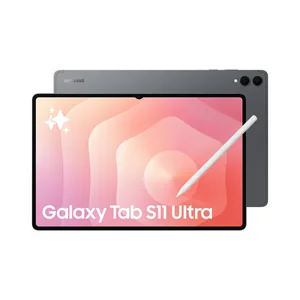
Android (Samsung Galaxy Tab S11 Ultra, Lenovo Tab Extreme, Pixel Tablet) has improved substantially in 2025-2026 but still trails iPadOS for pro creative work. Procreate has no Android equivalent of equivalent quality. Office 365 native, Adobe Lightroom and Photoshop native, all major streaming apps native. Samsung's S Pen is included free with Galaxy Tab (Apple charges $229 extra for Pencil Pro). DeX desktop mode is unique. Best for: Android-ecosystem buyers, S Pen users, anyone who wants microSD expansion or IP68 water resistance.
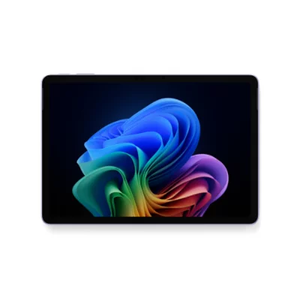
Windows 11 (Surface Pro 12, Surface Pro 13) is a 2-in-1 laptop replacement more than a pure tablet. Full x86 compatibility, vanilla Windows 11 install, NPU AI features via Copilot+ PC. Best for: Microsoft 365 office workers, anyone whose work requires desktop Windows apps in tablet form factor.
If you do not have a strong preference, iPadOS is the default for the broadest tablet use cases (entertainment, creative, browsing, casual productivity), Windows 11 is the default for productivity-first 2-in-1 use, and Android is the right answer when you specifically value the Samsung S Pen, IP68 water resistance, microSD expansion, or DeX desktop mode.
The Hidden Costs: Stylus and Keyboard
Tablet sticker prices are misleading because the accessories are often required for the intended use. Apple charges separately for Pencil Pro and Magic Keyboard. Microsoft charges separately for Slim Pen 2 and Type Cover. Samsung is the exception, including the S Pen in the box.
Apple Pencil Pro ($229) supports squeeze, barrel roll, haptic feedback, and Find My location tracking. Required for serious digital art and note-taking on iPad Pro and iPad Air. The cheaper Apple Pencil USB-C ($129) is fine for casual note-taking but lacks pressure sensitivity, which is non-negotiable for drawing.
Apple Magic Keyboard for iPad Pro M5 ($579 for 13-inch) is the upgrade Apple released with M4 generation iPad Pro: backlit keyboard, larger trackpad with haptic feedback, function row. The $579 price is materially more than competing 2-in-1 keyboards. Magic Keyboard for iPad Air ($349) is a step down but still excellent. Logitech makes good third-party Folio-style keyboards for iPad in the $129-179 range that are better value if typing is occasional.
Microsoft Surface Slim Pen 2 ($180) supports 4,096 pressure levels, tilt, haptic feedback. The Type Cover for Surface Pro 12 is $275; the Type Cover for Surface Pro 13 with included Slim Pen storage is $349-449.
Samsung S Pen is included in the box with every Galaxy Tab S-series. Samsung Book Cover Keyboard is $349 for the Galaxy Tab S11 Ultra.
Total real cost for an iPad Pro 13 M5 with Pencil Pro and Magic Keyboard is $3,007 ($2,199 + $229 + $579), versus $1,954 for a Surface Pro 12 with Type Cover and Slim Pen 2 ($1,499 + $275 + $180), versus $2,448 for a Galaxy Tab S11 Ultra with Book Cover Keyboard ($2,099 + $349, S Pen included). Factor accessory costs into your value comparison.
Display: OLED vs LCD and Refresh Rate
Tablet displays are particularly visible because tablets are held close to the face. The display tech you choose materially changes the use experience.
Tandem OLED (iPad Pro M5 13) is the premium tier. Two OLED layers stacked produce 1,000 nits sustained / 1,600 nits HDR peak brightness, perfect blacks, full P3 wide colour, 120Hz ProMotion variable refresh. The prettiest display on any tablet ever. Trade-off is the price; tandem OLED is part of why iPad Pro 13 M5 starts at $2,199.
Dynamic AMOLED 2X (Samsung Galaxy Tab S11 Ultra) is the Samsung approach: 14.6-inch AMOLED at 930 nits with anti-reflective matte coating that materially helps in bright environments. Slightly less bright than tandem OLED in HDR peaks but the matte coating is a win Apple does not offer.
PixelSense Motion Flow (Surface Pro 12) is Microsoft's high-end LCD with 90 to 120Hz variable refresh and 600 nits brightness. Good but not OLED-tier; the trade-off Microsoft makes for the lower price point.
Liquid Retina LCD (iPad Air M3, iPad mini) is Apple's mid-tier LCD at 60Hz refresh, 500 nits brightness, full P3 wide colour. Genuinely good as a display; the absence of ProMotion 120Hz is the noticeable downgrade from the iPad Pro tier.
For digital art, OLED tablets show shadow detail and colour accuracy that LCD cannot match. For outdoor reading, the Galaxy Tab S11 Ultra's anti-reflective AMOLED coating is uniquely useful. For typical tablet use (browsing, video, light productivity), any of these displays is fine and the price differences elsewhere matter more.
Cellular vs Wi-Fi Only: Mostly a Waste
Cellular models add $250 to $300 to the sticker price. They are mostly a waste of money in 2026 because every smartphone supports tethering, which provides cellular internet to the tablet at no extra hardware cost.
Buy cellular only if: you genuinely use the tablet in places without Wi-Fi or your phone (cars, planes that do not have Wi-Fi, hospital waiting rooms during multi-hour stays, rural travel), or you specifically need the GPS (cellular models include GPS chips; Wi-Fi-only models do not).
For 95 percent of buyers, Wi-Fi only is the right call and the $250-300 saved buys most of an Apple Pencil Pro or a Type Cover.
Australian Price Tiers in 2026
Budget tier ($350 to $700) at 8 to 11 inches: Base iPad ($499), iPad mini ($799), entry-level Samsung Galaxy Tab A series, Lenovo Tab. Adequate for browsing, video, casual app use. Build quality is thinner; expect 4 to 5 years of useful life. Avoid Android tablets in this tier with less than 6GB RAM; performance degrades within a year.
Mid-range ($700 to $1,400) at 11 to 12 inches: iPad Air M3 ($999), Surface Pro 12 base ($1,499), iPad mini high-storage configs, Samsung Galaxy Tab S11 base. Premium build quality, full Apple Pencil Pro or S Pen support, 6 to 8 years of useful life. The sweet spot for most tablet buyers.
Premium tier ($1,500 to $3,000) at 13 to 14 inches: iPad Pro 13 M5 ($2,199), Surface Pro 13 base, Galaxy Tab S11 Ultra ($2,099). Tandem OLED or AMOLED displays, top-tier silicon, professional creative app support, 6 to 8 years of useful life. Right tier for buyers who actually use the upgrades daily.
Total real cost with accessories typically runs 20 to 40 percent over sticker. Factor that in. EOFY (June), Click Frenzy (May, November), Boxing Day (December), and Apple Education Store year-round are the price-leader windows.
Where to Buy and ACL Coverage
Australian Consumer Law for tablets follows the same retailer-first rule as laptops. The reasonable-durability standard for a $1,000-plus tablet is 4 to 7 years, depending on price tier.
JB Hi-Fi is the price leader and easiest ACL claim path for most tablets. Care Plus extended warranty rarely worth it for ACL-covered hardware issues; can be worth it for accidental damage cover.
Apple Store Australia for iPad: rarely cheapest, cleanest warranty path. Education Store at 10 percent off is the year-round best price for students.
Microsoft Store Australia for Surface: online-only, warranty repairs route through authorised service centres with 2-4 week turnarounds. JB Hi-Fi is faster claim path.
Samsung Australia direct for Galaxy Tab: aggressive trade-in programmes drop effective price by $300-500. JB Hi-Fi competitive without trade-in friction.
Officeworks, The Good Guys and Harvey Norman all carry tablets at competitive pricing. Avoid third-party marketplace sellers for $1,000-plus tablets because ACL accountability is weaker.
Cellular models at Telstra or Optus add carrier-locked status that complicates resale; buy unlocked from Apple or Samsung direct if you specifically need cellular.
Avoid grey-market US/UK imports because the Australian keyboard layout, charger, and warranty path all matter on $1,500-plus hardware.
AppleCare+ ($129-199 depending on model) for iPad and Microsoft Complete ($249) for Surface add genuine accidental-damage cover that the ACL does not give you. Worth considering for daily-carry tablets, especially in households with kids.
What to Test in the First 30 Days
Tablet defect screening in the first 30 days catches issues before they become harder ACL claims.
Display. Run full-screen black, white, red, green, blue test patterns. Check for stuck pixels, dead pixels, OLED uniformity issues (faint pink or green tints in grey backgrounds), backlight bleed in dark scenes. Tandem OLED tablets are usually flawless; LCDs more variable.
Touch and stylus. Test all four corners of the display for touch responsiveness. Test stylus pressure curves in the native sketching app (Notes for iPad, Samsung Notes for Galaxy, Microsoft OneNote for Surface). Check palm rejection works.
Battery. Run the tablet on battery for full claimed runtime. iPad Pro 13 M5 quotes 10 hours; if yours dies at 6, that is a defect.
Wi-Fi and Bluetooth. Test connection on at least two networks and pair with two Bluetooth devices.
Speakers and microphone. Test in a video call. Watch for crackling, distortion, or one-channel-only output.
Charging. Test with the included charger and a known-working USB-C PD charger. Some tablets ship with charging port issues that only show up under load.
If any of the above fails in the first 30 days, return for refund or exchange under the retailer's return policy and ACL major-failure rules. Wait at least 30 days before installing screen protectors or cases that are difficult to remove cleanly.
My Top Picks
Ready to pick one?
Check out my ranked list with scores, prices, and AU availability.
See the Best Tablets and 2-in-1s