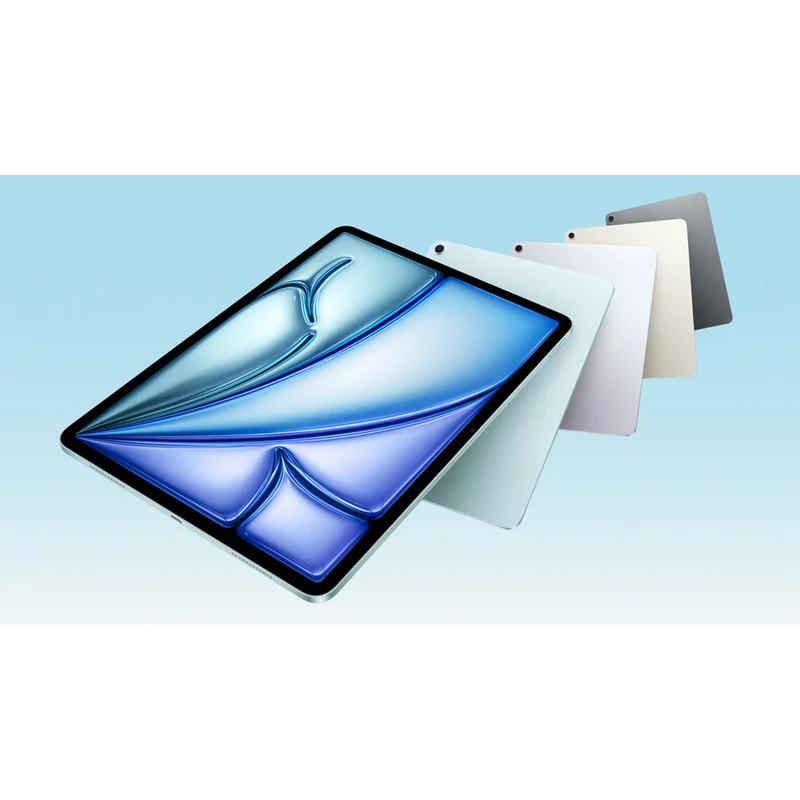
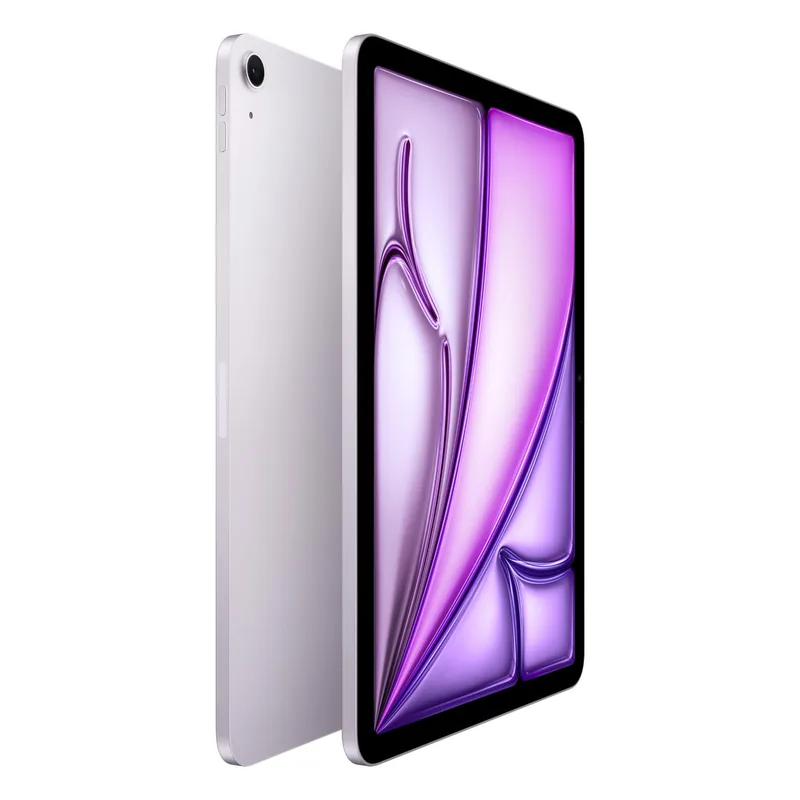
iPad Air M3 (11")
The default iPad for the largest share of buyers in 2026. M3 performance, Apple Pencil Pro support, full iPadOS, all at $999. The iPad Pro is the upgrade most buyers do not need.
RefDat Score Breakdown
| Signal | Score | Weight | Details |
|---|---|---|---|
| Verified Buyer Rating | 4.7/5 (3450 reviews) | 30% | Consumer consensus from verified-purchase buyer reviews |
| Community Sentiment | 4.5/5 | 25% | Editorial assessment from OzBargain, Whirlpool, ProductReview |
| Value Score | 4.7/5 | 20% | Best value Apple sells in tablets; M3 chip and full Apple Pencil Pro support at less than half the iPad Pro 13 M5 price |
| Safety Record | 5.0/5 | 10% | No active ACCC recalls |
| Recency | 4.5/5 | 5% | Released 2025-03-12 |
Last evaluated: 25 Apr 2026
Pros & Cons
What I Like
- M3 chip is plenty for Procreate, light photo editing, all streaming, all browsing, and casual gaming
- Apple Pencil Pro support (with squeeze, barrel roll, haptic feedback) is the same pencil iPad Pro uses
- Liquid Retina LCD at 500 nits is more than bright enough for indoor and most outdoor use
- $999 starting at JB Hi-Fi puts it $1,200 below iPad Pro 13 M5; the difference buys the Magic Keyboard plus a year of Apple TV+
- Available in 13-inch variant for $1,349 if you want the larger canvas without iPad Pro money
Could Be Better
- 60Hz refresh, no ProMotion; the 120Hz iPad Pro feels noticeably smoother in everyday scrolling
- 8GB RAM is fine for most use cases but limits how heavy a Procreate canvas you can run
- Touch ID instead of Face ID; Face ID is faster and works hands-full
- Magic Keyboard ($349) is a significant added cost; Logitech alternatives at $179 are better value if typing is occasional
- USB-C is regular USB 3 (10 Gbps), not Thunderbolt
My Review
The iPad Air M3 is what 80 percent of iPad buyers should own in 2026. At $999 starting in Australia, it has the same Apple Pencil Pro support, the same iPadOS 19, the same general form factor, and the same Apple ecosystem integration as the iPad Pro 13 M5 at less than half the price. The differences are real but only matter for the small minority who actually push a tablet to professional creative limits.
The M3 chip is overkill for typical iPad use. Web browsing, Netflix and Stan and Disney+ at 4K high dynamic range (HDR), all the major free-to-air apps (9Now, iView, SBS On Demand, 10 Play), Procreate at moderate canvas sizes, light photo editing in Photos and Lightroom, AAA mobile games, two-up Stage Manager multitasking, all run flawlessly. The chip is a generation behind the M5 in the iPad Pro, but for the workloads most buyers actually run, the difference is invisible.
The Liquid Retina screen, a liquid crystal display (LCD), is the place the Air loses to the Pro. 500 nits typical brightness, 60Hz refresh rate, full sRGB and DCI-P3 colour. It is a genuinely good display by any objective standard. It just is not as good as the tandem OLED in the Pro, which has perfect blacks, 1,000 nits sustained, and 120Hz ProMotion. Side by side the difference is obvious. In isolation, the Air's display is more than enough. The 60Hz versus 120Hz is the one spec that long-term iPad Pro owners notice most when they downgrade; everyone else does not miss it.
Apple Pencil Pro support is the under-rated value point. The Air uses the exact same Pencil Pro the iPad Pro uses, with all the same features: 4,096 levels of pressure, tilt, barrel roll for changing brush angle, squeeze for tool switching, and haptic feedback. For digital artists working on $999 instead of $2,199 hardware, this is the spec that matters most. Procreate, Affinity, and Adobe Fresco all behave identically on Air and Pro for the work most artists do.
The Magic Keyboard for iPad Air at $349 is the choke point. The keyboard is excellent (it is the same form factor as the Magic Keyboard for iPad Pro, just lighter), but adding it pushes total cost from $999 to $1,348. For occasional typing, third-party Logitech keyboards at $129 to $179 are better value, with Folio-style cases that double as stands and a perfectly usable Bluetooth keyboard layout. Save the Magic Keyboard money unless you genuinely intend to use the iPad as a primary typing device.
The iPadOS 19 question applies the same way as on the iPad Pro: limited windowing versus macOS, no full file system, some pro apps still iPad-stripped versions. For pure tablet use (browsing, video, drawing, casual gaming, journaling, kids' homework, light document editing), iPadOS is exactly what you want. For pro work where you would otherwise reach for a laptop, the Air is no better than the Pro at overcoming iPadOS limits, and the savings make the constraint easier to swallow.
The Australian buyer context. JB Hi-Fi runs the Air at $949 to $999 routinely and drops to $899 around EOFY (mid-June) and Click Frenzy (mid-November). The Apple Education Store at $899 is the year-round price for students and teachers. The Good Guys, Officeworks, and Costco all track JB. Cellular models cost $250 more and are mostly a waste because every iPhone since 2020 supports tethering. AppleCare+ at $129 for 2 years buys accidental damage cover that the Australian Consumer Law (ACL) does not give you and is genuinely worth the spend on a daily-carry tablet, especially in households with kids.
The 13-inch variant at $1,349 is a separate decision. It is the same chip and same RAM but a larger canvas, useful for digital art, reading PDFs, and using as an external monitor for a Mac (via Universal Control). At $850 below the iPad Pro 13 M5, it is the right answer for the small group of buyers who want the bigger screen without paying tandem organic LED (OLED) money. For the typical buyer, 11-inch is the right size.
The trade-offs versus the iPad Pro 13 M5. The Pro has tandem OLED, 120Hz ProMotion, M5 chip, 16GB RAM, Thunderbolt 4, and a 5-percent-thinner chassis. The Air has none of those things and is $1,200 cheaper. For 80 percent of buyers, none of the Pro upgrades earn their cost. For the 20 percent who do pro creative work, the Pro is the right tool. The Air is the default; buy the Pro only if you can name the specific feature you actually need.
Specifications
| Chip | Apple M3 (8-core CPU, 9-core GPU) |
| Ram Gb Default | 8 |
| Ram Gb Max | 8 |
| Storage Gb Default | 128 |
| Storage Gb Max | 1024 |
| Display Inches | 11.0 |
| Display Resolution | 2360 x 1640 |
| Display Brightness Nits | 500 |
| Display Refresh Hz | 60 |
| Display Technology | Liquid Retina LCD |
| Battery Hours Video | 10 |
| Weight Grams | 462 |
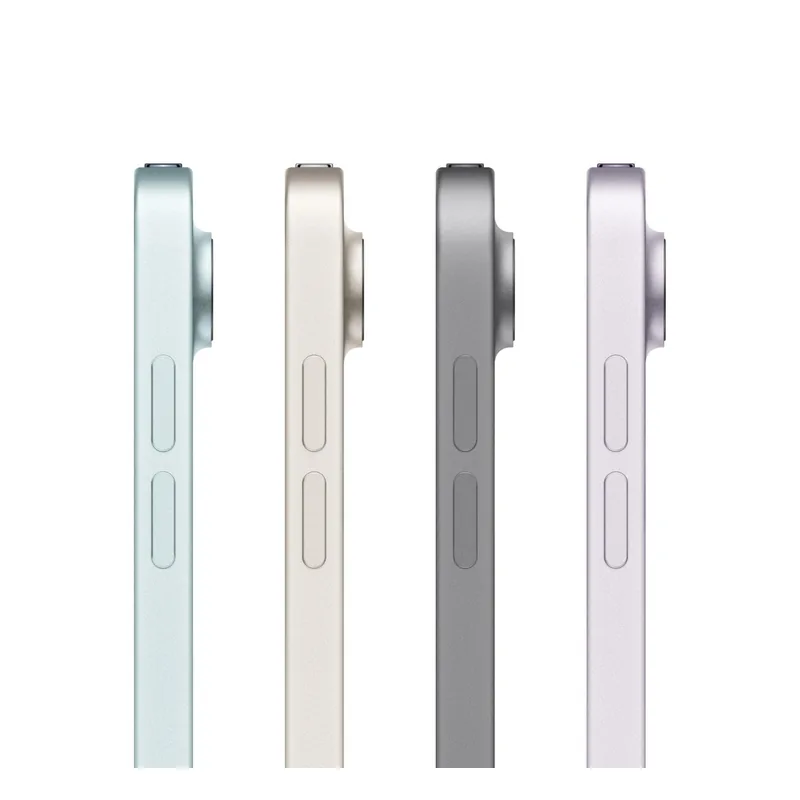
| Thickness Mm | 6.1 |
| Ports | USB-C (USB 3, 10 Gbps) |
| Wifi | Wi-Fi 6E |
| Bluetooth | 5.3 |
| Biometrics | Touch ID (top button) |
| Stylus Support | Apple Pencil Pro, Apple Pencil USB-C |
| Keyboard Support | Magic Keyboard for iPad Air ($349 AUD extra) |
| Connectivity | Wi-Fi only or Wi-Fi + Cellular (5G) |
| Operating System | iPadOS 19 |
Where to Buy in Australia
Looking for the cheapest price in Australia? The figure below is the latest eBay AU price I last resolved on 27 Jul 2026. Amazon does not publish a price through its API yet, so that button opens the listing for you to compare. Prices move often, so check before you buy.
As an Amazon Associate I earn from qualifying purchases.
Under Australian Consumer Law, you have rights to a repair, replacement, or refund if a product has a major problem, regardless of manufacturer warranty. Learn more →
Price History
| Date | Price | Change |
|---|---|---|
| 2026-05-30 | $898 | |
| 2026-05-31 | $898 | No change |
| 2026-06-01 | $898 | No change |
| 2026-06-02 | $898 | No change |
| 2026-06-03 | $536.21 | ↓ $361.79 |
| 2026-06-04 | $898 | ↑ $361.79 |
| 2026-06-05 | $898.99 | ↑ $0.99 |
| 2026-06-06 | $898.99 | No change |
| 2026-06-07 | $898 | ↓ $0.99 |
| 2026-06-08 | $898.99 | ↑ $0.99 |
| 2026-06-09 | $898.99 | No change |
| 2026-06-10 | $898 | ↓ $0.99 |
| 2026-06-11 | $799 | ↓ $99.00 |
| 2026-06-12 | $799 | No change |
| 2026-06-13 | $799 | No change |
| 2026-06-14 | $799 | No change |
| 2026-06-15 | $799 | No change |
| 2026-06-16 | $799 | No change |
| 2026-06-17 | $799 | No change |
| 2026-06-18 | $799 | No change |
| 2026-06-19 | $799 | No change |
| 2026-06-20 | $799 | No change |
| 2026-06-21 | $799 | No change |
| 2026-06-22 | $799 | No change |
| 2026-06-23 | $799 | No change |
| 2026-06-24 | $799 | No change |
| 2026-06-25 | $799 | No change |
| 2026-06-26 | $799 | No change |
| 2026-06-27 | $799 | No change |
| 2026-06-28 | $799 | No change |
| 2026-06-29 | $799 | No change |
| 2026-06-30 | $799 | No change |
| 2026-07-01 | $799 | No change |
| 2026-07-02 | $799 | No change |
| 2026-07-03 | $799 | No change |
| 2026-07-04 | $799 | No change |
| 2026-07-05 | $799 | No change |
| 2026-07-06 | $799 | No change |
| 2026-07-07 | $799 | No change |
| 2026-07-08 | $799 | No change |
| 2026-07-10 | $799 | No change |
| 2026-07-11 | $799 | No change |
| 2026-07-12 | $799 | No change |
| 2026-07-13 | $1079.32 | ↑ $280.32 |
| 2026-07-14 | $1080.40 | ↑ $1.08 |
| 2026-07-15 | $1359 | ↑ $278.60 |
| 2026-07-16 | $908.60 | ↓ $450.40 |
| 2026-07-17 | $876.57 | ↓ $32.03 |
| 2026-07-18 | $866.27 | ↓ $10.30 |
| 2026-07-19 | $779.62 | ↓ $86.65 |
| 2026-07-20 | $992.04 | ↑ $212.42 |
| 2026-07-21 | $990.05 | ↓ $1.99 |
| 2026-07-22 | $1060.85 | ↑ $70.80 |
| 2026-07-23 | $869.75 | ↓ $191.10 |
| 2026-07-24 | $1144.45 | ↑ $274.70 |
| 2026-07-25 | $1143.67 | ↓ $0.78 |
| 2026-07-26 | $1143.67 | No change |
| 2026-07-27 | $1022.93 | ↓ $120.74 |
What Australians Say
Common themes from Australian community discussions (OzBargain, Whirlpool, ProductReview):
iPad Air M3 (11") is ranked in my Best Tablets and 2-in-1s in Australia list. Not sure what to look for? Read my Tablets and 2-in-1s buyer's guide.
As an Amazon Associate I earn from qualifying purchases.