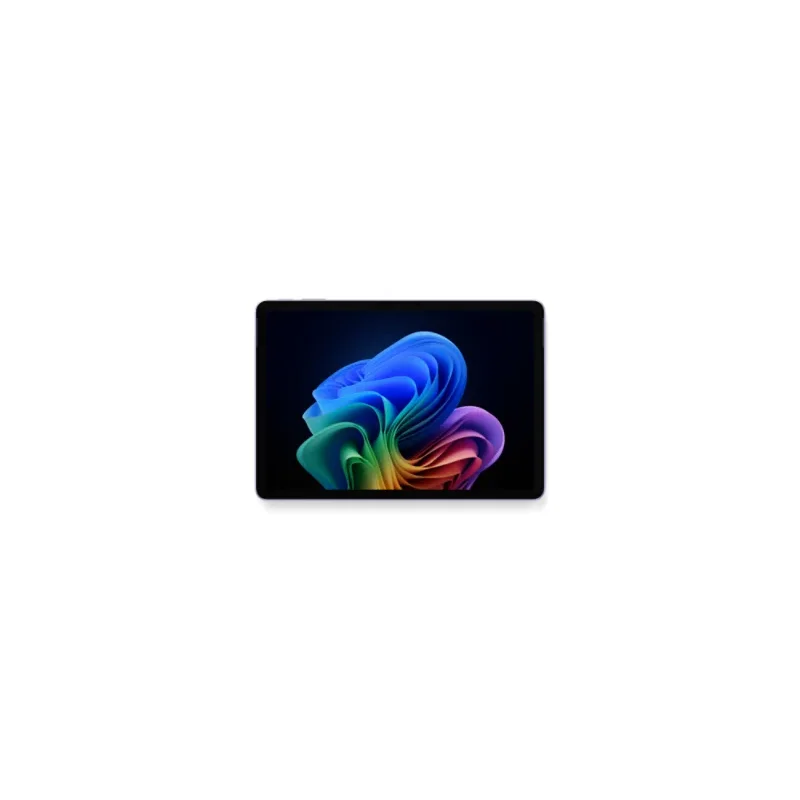
Microsoft Surface Pro 12"
The Surface Pro that finally answers the iPad Pro on its own terms. Vanilla Windows 11 with full x86 compatibility, NPU-driven AI features, PixelSense Motion Flow display with Slim Pen 2 support, all $700 cheaper than the iPad Pro 13. Type Cover and Pen are required extras that bring real cost to $1,954.
RefDat Score Breakdown
| Signal | Score | Weight | Details |
|---|---|---|---|
| Verified Buyer Rating | 4.4/5 (380 reviews) | 30% | Consumer consensus from verified-purchase buyer reviews |
| Community Sentiment | 4.5/5 | 25% | Editorial assessment from OzBargain, Whirlpool, ProductReview |
| Value Score | 4.6/5 | 20% | $1,499 starting puts it $700 below iPad Pro 13 with full Windows 11; total cost with keyboard ($275) and pen ($180) lands at $1,954, still cheaper than an iPad Pro 13 with Magic Keyboard and Pencil |
| Safety Record | 5.0/5 | 10% | No active ACCC recalls |
| Recency | 4.5/5 | 5% | Released 2025-05-20 |
Last evaluated: 25 Apr 2026
Pros & Cons
What I Like
- Vanilla Windows 11 with zero OEM bloatware, ready for Microsoft 365 out of the box
- Full x86 Windows desktop apps run via emulation; native ARM versions of Office, Teams, Edge, Adobe CC and most major apps
- PixelSense Motion Flow 3:2 touchscreen with 90Hz refresh and 400 nits brightness
- Surface Slim Pen 2 with 4,096 levels of pressure and tilt; among the best digital styluses in production
- Copilot+ PC with 45 TOPS NPU drives Studio Effects, Live Captions, automatic framing on-device
- 16GB RAM standard at $1,499 base; no 8GB cheap-out tier
Could Be Better
- Type Cover ($275) and Slim Pen 2 ($180) are required extras; real total cost is $1,954
- No headphone jack and no Thunderbolt; just two USB-C ports rated for USB 3.2
- Wall charger ($90) sold separately, only USB-C cable included
- 12-inch display at 2196 x 1464 is sharp but smaller than iPad Pro 13 or Surface Pro 13
- Snapdragon X Plus loses to M5 in raw CPU and GPU benchmarks for sustained creative workloads
My Review
The Surface Pro 12 is the answer to a question Apple has spent five years pretending does not need answering: what if a tablet ran a real desktop operating system? The 12-inch Surface Pro starts at $1,499 in Australia, runs vanilla Windows 11 with full x86 compatibility, includes the Copilot+ PC NPU AI features, and is $700 below the iPad Pro 13 M5 at base configuration. For Microsoft 365 buyers and anyone whose work requires full Windows desktop apps, this is the closest thing to an iPad Pro alternative ever shipped.
The PixelSense Motion Flow display is what makes the form factor work. 12 inches, 2,196 by 1,464 resolution, 3:2 aspect ratio, 90Hz refresh with variable rate, 400 nits typical brightness, full sRGB calibrated. The 3:2 ratio is the same productivity-friendly aspect Microsoft uses across the entire Surface line, and on a tablet it works even better than on a laptop because rotated to portrait you have a near-document-shaped canvas. Reading PDFs, marking up Word docs, sketching in OneNote, the screen geometry just fits how people use a tablet for work.
The Surface Slim Pen 2 is the under-rated hardware story. 4,096 levels of pressure sensitivity, tilt detection, haptic feedback when the nib touches the screen, and the Surface integration that makes ink flow indistinguishable from paper for note-taking and basic sketching. For digital art at the highest end, the iPad Pro with Apple Pencil Pro is still ahead. For the larger market of professionals who take handwritten notes during meetings, sign documents, and do occasional sketches, the Slim Pen matches the Pencil and the Windows ink integration across Office and OneNote is more mature than Apple's equivalents on iPad.
The vanilla Windows 11 experience is what the Surface line has always promised and what generic Windows tablets always undermined with bloatware. The Pro 12 ships with a clean Windows install: no McAfee trial, no random OEM utility apps, no pre-installed game ads, no Lenovo Vantage equivalent. The Microsoft 365 integration is reference-grade because the OS is the reference Windows install. For a Microsoft 365 buyer, this is the cleanest way to run the suite.
The Copilot+ PC tier is the new generation. The 45-TOPS NPU runs Windows Studio Effects on-device for the 12MP front camera (auto-framing, eye contact, portrait blur, voice noise suppression). Live Captions translate audio in real time. Recall (where enabled) is the optional always-on screenshot indexer. The NPU also accelerates image generation in Copilot and Paint, and is starting to be used by third-party apps like Adobe Fresco for local generative work. Apple has nothing equivalent on iPad in 2026.
The hidden costs match the iPad Pro pattern but at lower absolute numbers. The Pro 12 Type Cover keyboard is $275 in Australia (versus $579 for an Apple Magic Keyboard for iPad Pro). The Surface Slim Pen 2 is $180 (versus $229 for Apple Pencil Pro). Total real cost with both accessories is $1,954, still $1,053 below an iPad Pro 13 M5 with Magic Keyboard and Pencil at $3,007. The 45W wall charger is $90 extra (only a USB-C cable comes in the box), which is annoying but standard for the category.
The hardware trade-offs versus the iPad Pro 13 M5. The Surface Pro 12 LCD is good but cannot match the iPad Pro's tandem organic LED (OLED) for high dynamic range (HDR) or contrast. The Snapdragon X Plus is competitive with M5 for office work but loses 30 to 40 percent on sustained creative workloads (video editing, big Procreate canvases at 16K resolution, Logic-Pro-equivalent music production). Battery is around 16 hours of video versus the iPad Pro's 10 hours; the Surface wins here because of the lower-power liquid crystal display (LCD). Connectivity has only USB-C (USB 3.2), no Thunderbolt; the iPad Pro 13 has Thunderbolt 4. No headphone jack on either.
The OS trade-off is the actual question. iPadOS 19 is touch-first, polished, and limited; macOS-equivalent power features are still arriving slowly. Windows 11 ARM is desktop-first, full-power, and bumpy at the edges (some legacy apps run in emulation, gaming is non-existent). For touch-and-pen creative work, iPadOS is the right answer. For Microsoft 365 productivity, signing documents, taking serious notes in OneNote, and occasional desktop apps, Windows 11 is the right answer. Both are genuinely good at their own jobs.
The Australian buyer context. JB Hi-Fi at $1,449 to $1,499 is the year-round price leader. Microsoft Direct runs Type Cover bundle promotions occasionally that bring the real-world entry to $1,749. Officeworks tracks JB. The Self Service Repair programme through Microsoft Australia is now mature enough that genuine parts (SSD, battery, kickstand, screen) are orderable direct, which is a step ahead of Apple's still-walled-garden iPad repair model. Microsoft Complete at $249 for 2 years adds genuine accidental damage cover and is recommended for daily-carry tablets.
The verdict. For a Microsoft 365 buyer who wants tablet form factor and pen support, this is the right call at $1,499 plus $275 Type Cover plus $180 Slim Pen. The 3:2 PixelSense Motion Flow display, the vanilla Windows 11 install, the NPU AI features, and the genuinely full desktop OS are the wins. If you live in macOS or specifically want the tandem OLED for creative work, the iPad Pro 13 is the better answer at $700 more. The two are not really competing for the same buyer; both are excellent picks for different jobs.
Specifications
| Chip | Qualcomm Snapdragon X Plus (8-core) |
| Graphics | Qualcomm Adreno (integrated) |
| Ram Gb Default | 16 |
| Ram Gb Max | 16 |
| Storage Gb Default | 256 |
| Storage Gb Max | 512 |
| Display Inches | 12.0 |
| Display Resolution | 2196 x 1464 |
| Display Aspect Ratio | 3:2 |
| Display Refresh Hz | 90 |
| Display Technology | PixelSense Motion Flow LCD touchscreen, 400 nits typical |
| Battery Hours Video | 16 |
| Battery Hours Web | 12 |
| Weight Grams | 686 |
| Thickness Mm | 7.8 |
| Ports | 2x USB-C (USB 3.2) |
| Wifi | Wi-Fi 7 |
| Bluetooth | 5.4 |
| Biometrics | Windows Hello (front-facing IR camera) |
| Stylus Support | Surface Slim Pen 2 ($180 AUD extra) |
| Keyboard Support | Surface Pro 12 Type Cover ($275 AUD extra) |
| Npu Tops | 45 |
| Copilot Plus Pc | True |
| Operating System | Windows 11 Home, vanilla install with no OEM bloatware |
Where to Buy in Australia
Looking for the cheapest price in Australia? The figure below is the latest eBay AU price I last resolved on 27 Jul 2026. Amazon does not publish a price through its API yet, so that button opens the listing for you to compare. Prices move often, so check before you buy.
As an Amazon Associate I earn from qualifying purchases.
Under Australian Consumer Law, you have rights to a repair, replacement, or refund if a product has a major problem, regardless of manufacturer warranty. Learn more →
Price History
| Date | Price | Change |
|---|---|---|
| 2026-05-30 | $1250 | |
| 2026-05-31 | $1250 | No change |
| 2026-06-01 | $1250 | No change |
| 2026-06-02 | $1250 | No change |
| 2026-06-03 | $1250 | No change |
| 2026-06-04 | $1250 | No change |
| 2026-06-05 | $1250 | No change |
| 2026-06-06 | $1250 | No change |
| 2026-06-07 | $1250 | No change |
| 2026-06-08 | $1799.99 | ↑ $549.99 |
| 2026-06-09 | $1799.99 | No change |
| 2026-06-10 | $1799.99 | No change |
| 2026-06-11 | $1799.99 | No change |
| 2026-06-12 | $1799.99 | No change |
| 2026-06-13 | $1799.99 | No change |
| 2026-06-14 | $1799.99 | No change |
| 2026-06-15 | $1799.99 | No change |
| 2026-06-16 | $1999.99 | ↑ $200.00 |
| 2026-06-17 | $1250 | ↓ $749.99 |
| 2026-06-18 | $1250 | No change |
| 2026-06-19 | $1250 | No change |
| 2026-06-20 | $1250 | No change |
| 2026-06-21 | $1250 | No change |
| 2026-06-22 | $1250 | No change |
| 2026-06-23 | $1250 | No change |
| 2026-06-24 | $1250 | No change |
| 2026-06-25 | $1250 | No change |
| 2026-06-26 | $1250 | No change |
| 2026-06-27 | $1250 | No change |
| 2026-06-28 | $1250 | No change |
| 2026-06-29 | $1250 | No change |
| 2026-06-30 | $1250 | No change |
| 2026-07-01 | $1250 | No change |
| 2026-07-02 | $1250 | No change |
| 2026-07-03 | $1250 | No change |
| 2026-07-04 | $1250 | No change |
| 2026-07-05 | $1250 | No change |
| 2026-07-06 | $1250 | No change |
| 2026-07-07 | $1250 | No change |
| 2026-07-08 | $1250 | No change |
| 2026-07-10 | $1250 | No change |
| 2026-07-11 | $1250 | No change |
| 2026-07-12 | $1250 | No change |
| 2026-07-13 | $1250 | No change |
| 2026-07-14 | $1250 | No change |
| 2026-07-15 | $1250 | No change |
| 2026-07-16 | $1250 | No change |
| 2026-07-17 | $1250 | No change |
| 2026-07-18 | $1181.26 | ↓ $68.74 |
| 2026-07-19 | $1181.26 | No change |
| 2026-07-20 | $1299 | ↑ $117.74 |
| 2026-07-21 | $1299 | No change |
| 2026-07-22 | $1299 | No change |
| 2026-07-23 | $1299 | No change |
| 2026-07-24 | $1299 | No change |
| 2026-07-25 | $1299 | No change |
| 2026-07-26 | $1299 | No change |
| 2026-07-27 | $1299 | No change |
What Australians Say
Common themes from Australian community discussions (OzBargain, Whirlpool, ProductReview):
Microsoft Surface Pro 12" is ranked in my Best Tablets and 2-in-1s in Australia list. Not sure what to look for? Read my Tablets and 2-in-1s buyer's guide.
Compare With
As an Amazon Associate I earn from qualifying purchases.