How to Choose a Laptop - Buyer's Guide
Last updated: 25 Apr 2026
The First Choice Is the Operating System
The single most important laptop decision in 2026 is which operating system you want, because it determines your entire app ecosystem for the next 5 to 7 years. Three real options for Australian buyers.
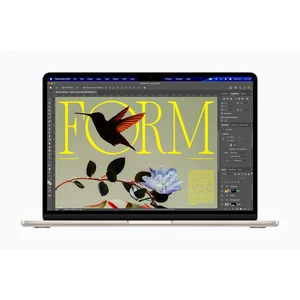
macOS runs only on Apple's MacBook Air and MacBook Pro lines. Class-leading trackpad, the cleanest desktop UI in the industry, the strongest creative app ecosystem (Final Cut Pro, Logic Pro, Procreate via M-series chip emulation), smooth integration with iPhone and iPad, and the longest battery life of any laptop tier. Locked to Apple hardware, no upgradability post-purchase, and limited gaming.
Windows 11 runs on every other major laptop brand: Dell, HP, Lenovo, ASUS, Microsoft Surface, Razer, Acer. Largest app ecosystem, full gaming support, hardware variety from $500 budget to $5,000 workstations, x86 compatibility for legacy enterprise software. The trade-off is the variable build quality (premium Windows laptops match Macs; budget Windows laptops do not), and the bloatware most OEMs ship pre-installed (Microsoft Surface is the exception).
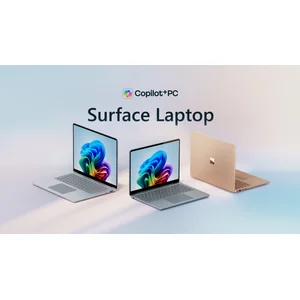
Windows 11 on ARM (Snapdragon X chips on Surface Laptop 13.8 specifically) is the new option Microsoft shipped properly in 2025. Apple-Silicon-equivalent battery life, on-device AI features via the NPU, and most major apps now have native ARM builds. Some niche x86 software still runs in emulation slowly. Best buyer profile is Microsoft 365 office workers who do not need legacy Windows apps.
If you do not have a strong preference, macOS is the default for the largest share of buyers because the MacBook Air M5 13 at $1,799 is genuinely the right answer for 80 percent of laptop use cases and the Apple ecosystem touches (Apple Watch unlock, AirDrop to iPhone, Universal Clipboard) compound over years of use.
The Chip: Apple Silicon vs Intel Panther Lake vs Snapdragon X
The 2026 chip landscape has converged. All three architectures (Apple Silicon, Intel Core Ultra Series 3 / Panther Lake, Qualcomm Snapdragon X) deliver 18 to 27 hours of real battery life on a charge in normal use, and all three are within 10 percent of each other on typical productivity benchmarks.
Apple M5 (MacBook Air M5, MacBook Pro 14 M5) is the highest-performance and most efficient option in 2026. CPU performance leads in single-threaded workloads, GPU performance leads on Metal-optimised creative apps, NPU is competitive for on-device AI. Trade-off is macOS-only.
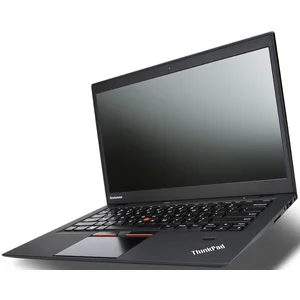
Intel Core Ultra Series 3 / Panther Lake (Dell XPS 14 2026, ThinkPad X1 Carbon Gen 14, gaming laptops) is the new generation of Intel mobile silicon. Closes most of the efficiency gap to Apple Silicon. CPU performance is competitive, GPU is the integrated Intel Arc with 12 Xe cores (fine for productivity, weak for gaming versus discrete Nvidia or AMD GPUs).
Qualcomm Snapdragon X Plus / X Elite (Surface Laptop 13.8) is the ARM Windows option. CPU performance lands within 5 to 10 percent of M5 in productivity, NPU at 45 TOPS leads the laptop category and drives Copilot+ PC features. Trade-off is the ARM Windows compatibility question (most apps are fine; some legacy x86 software is slower in emulation).
For most buyers, the chip choice follows from the OS choice. macOS means Apple Silicon. Windows means Intel Panther Lake or Snapdragon X. Compare specs within your OS rather than across.
RAM and Storage: What You Actually Need in 2026
16GB RAM is the minimum in 2026. This was true in 2024 too, but Apple finally caught up at the M4 generation (October 2024) and the M5 generation now ships every Mac with 16GB minimum at the same starting price. Every premium Windows laptop has shipped with 16GB minimum for years. If you find a $1,500-plus laptop in 2026 with 8GB RAM, that is a genuine warning sign.
32GB is the right call for: developers running Docker, video editors working with raw footage, music producers with heavy plugin chains, anyone who runs multiple virtual machines, photographers working with large RAW catalogues, anyone who keeps 30 to 50 browser tabs open across multiple Chrome windows daily. 64GB is for niche pro workloads (large language model inference, scientific computing, 8K video editing).
512GB SSD is the new minimum. Apple bumped the MacBook Air M5 base from 256GB to 512GB in March 2026, the same upgrade Microsoft applied to Surface Laptop 13.8 a year earlier. After Windows 11 or macOS, Microsoft 365, Adobe Creative Cloud, your Photos library, and your Mail database, you are at 80 to 100GB used before storing any project files. 256GB fills up within a year of normal use. 1TB is the right call for buyers who store video projects, large game libraries, or extensive RAW photo archives.
For Windows laptops with user-replaceable SSDs (Dell XPS, ThinkPad X1 Carbon, gaming laptops), the storage upgrade is much cheaper as an aftermarket M.2 NVMe purchase ($150-300 for 2TB) than as a factory upgrade. For Macs, the storage is soldered and Apple's $300 jump from 512GB to 1TB is essentially required if you choose to upgrade.
Display: Size, Resolution, and Refresh Rate
Screen size is mostly a portability decision. 13 to 14 inches is the right size for daily commute laptops (MacBook Air 13, MacBook Pro 14, Dell XPS 14, ThinkPad X1 Carbon Gen 14, Surface Laptop 13.8). 15 to 16 inches is the right size for workstation use where you do not carry the laptop daily (MacBook Pro 16, Dell XPS 16, gaming laptops). Smaller laptops (11 to 12 inches) are mostly Chromebooks and small Surface Pro form factors; not the right primary laptop in 2026.
Resolution should be at least 2,560 by 1,600 (effective Retina-equivalent for 13 to 14 inch). Lower-resolution panels at this size show pixels in everyday text. Higher resolutions (3K or 4K on a 14-inch panel) are mostly diminishing returns for typical use; battery cost is real and visual benefit is small.
Refresh rate matters more than spec sheets suggest. 60Hz is the legacy default. 120Hz (ProMotion on MacBook Pro, native 120Hz on Dell XPS 14 and Surface Laptop 13.8) makes the entire OS feel smoother. After a week on 120Hz, going back to 60Hz feels broken. Buy 120Hz when you can; it is the upgrade you will most notice day to day.
Display technology choice: OLED (Dell XPS 14 OLED option, ThinkPad X1 Carbon OLED) has perfect blacks and vibrant colours but can show burn-in over years of use; mini-LED (MacBook Pro 14) has near-OLED contrast without burn-in risk; LCD (MacBook Air, Surface Laptop, most ThinkPads) is the safe default and is genuinely fine.
Battery Life: 18 Hours Is the New Normal
The battery story changed in 2024 with Apple Silicon and again in 2025 with Snapdragon X and Intel Panther Lake. In 2026, every premium laptop should deliver 18 to 27 hours of real-world battery life on a charge. If a laptop quotes less than 18 hours, that is a warning sign.
Real-world expectations: MacBook Air M5 13 delivers 18 hours of mixed web work and 20 hours of video playback. MacBook Pro 14 M5 delivers 17 hours web and 24 hours video (the bigger battery offsets the brighter display). Dell XPS 14 2026 delivers 27 hours of Netflix streaming or 40+ hours of local video. ThinkPad X1 Carbon Gen 14 delivers 22 hours of video. Surface Laptop 13.8 delivers 20 hours of video. Gaming laptops are different: 8 hours of mixed work, 90 minutes of unplugged gaming.
The corollary: charging speed matters less than it used to. If your laptop runs all day on a charge, you charge it overnight, not during the day. USB-C PD 65W or higher charging is universal across the premium category and is genuinely fast (50 percent in 30 minutes typical).
Australian Price Tiers in 2026
Budget tier ($500 to $1,200) at 13 to 15 inches: Generic Windows laptops from Acer, Asus, HP entry-level, Lenovo IdeaPad. ChromeBooks at the lower end. Adequate for basic web, school, and Microsoft 365 use. Build quality is thinner; expect 3 to 5 years of useful life. Avoid models with 8GB RAM at this price tier in 2026; 16GB should be the floor.
Mid-range ($1,200 to $2,000) at 13 to 14 inches: MacBook Air M5 ($1,799), Surface Laptop 13.8 ($1,599), Surface Laptop 14 ($1,899), most Dell XPS 13 configurations, base ThinkPad T14, lower configurations of HP EliteBook. Premium build quality, 18 to 20 hours battery, all the modern wireless and AI features. Expected lifespan 5 to 7 years. The sweet spot for most buyers.
Premium tier ($2,000 to $3,500) at 14 to 16 inches: MacBook Pro 14 M5 ($2,699), Dell XPS 14 2026 ($3,199), ThinkPad X1 Carbon Gen 14 ($2,999 post-discount), Surface Laptop Studio. Premium chassis, 120Hz mini-LED or OLED displays, full-feature port complements, business-tier service options. Expected lifespan 6 to 8 years. The right tier for buyers who actually use the upgrades daily.
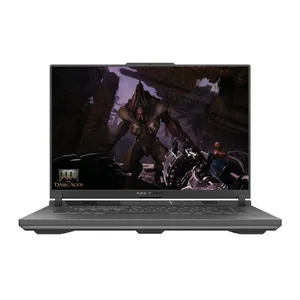
Workstation / Gaming tier ($3,500+): MacBook Pro 14 M5 Pro ($3,499) or M5 Max ($5,799), MacBook Pro 16 M5 Pro / Max, Dell XPS 16 2026, ThinkPad P-series mobile workstations, ASUS ROG Strix G16 ($3,499), Razer Blade 16, Alienware m16. The right tier for buyers who genuinely need 32GB-plus RAM, discrete GPUs, or sustained pro workloads. Expected lifespan 4 to 8 years (gaming laptops shorter due to thermal stress, workstations longer).
Sales matter. JB Hi-Fi, The Good Guys, Harvey Norman, Officeworks, Dell direct, and Lenovo direct all run major laptop sales around EOFY (June, biggest), Click Frenzy (May and November), Boxing Day (December), and back-to-school (January and February). Lenovo's eCoupon system runs 30 to 40 percent discounts year-round on ThinkPad. Apple Education Store offers 10 percent off year-round. Never pay full RRP for a laptop in Australia.
Where to Buy and Why It Matters for ACL
The retailer you buy from determines who you fight when the laptop fails. Under Australian Consumer Law, the retailer carries the consumer guarantee, not the manufacturer. The 1 or 2 year manufacturer warranty is the floor; the ACL's reasonable-durability standard for a $2,000-plus laptop is 5 to 7 years.
JB Hi-Fi is the default recommendation for most laptop buyers. Best Australian retail service network for tech, takes ACL claims seriously, will price-match Harvey Norman and The Good Guys on the spot. Care Plus extended warranty is rarely worth it because the ACL covers most of what it covers.
The Good Guys matches JB on most lines, sometimes cheaper on display models, weaker on tech depth in store but strong on white-good-style service.
Apple Store Australia (online and physical) is rarely the cheapest channel but is the cleanest path for warranty claims because there is no retailer in the middle. Apple Education Store offers 10 percent off year-round to anyone with a school or university.edu.au email. Apple Stores will price-match JB Hi-Fi on the spot if you ask.
Microsoft Store Australia is online-only with limited physical presence; warranty repairs route through authorised service centres with 2 to 4 week turnarounds. JB Hi-Fi is usually a faster ACL claim path for Surface devices.
Dell Australia direct is usually the cheapest channel for XPS and Latitude lines because of frequent promo codes (especially around EOFY). Dell ProSupport on-site service in capital cities is the strongest Australian service network for any Windows laptop brand.
Lenovo Australia direct runs aggressive eCoupon discounts year-round on ThinkPad; sticker prices are essentially fictional. Lenovo Premier Support next-business-day on-site is the gold standard for Australian business support.
Officeworks tracks JB on most lines and carries the broadest range of education-tier laptops. Strong ACL support.
Avoid grey-market US imports because the Australian power supply, Australian keyboard layout, and Australian warranty path all matter. Save money in Australia through retailer promo codes and Education Store discounts instead.
Australian Consumer Law and Expected Lifespan
The ACL's consumer guarantee is the strongest buyer protection you have. It applies on top of any manufacturer warranty, and it is not optional, sellers cannot contract out of it. The core test is reasonable durability: a laptop should last as long as a reasonable consumer would expect for the price paid. The warranty card is not the ceiling.
Practical durability expectations for laptops at typical 2026 Australian price points: budget tier ($500 to $1,200) 3 to 5 years, mid-range ($1,200 to $2,000) 5 to 7 years, premium ($2,000 to $3,500) 6 to 8 years, workstation / gaming ($3,500+) 4 to 8 years (gaming shorter due to thermal stress, workstation longer). These are what a court or the ACCC would consider reasonable, not what the warranty card says.
The claim process is always retailer first, not manufacturer first. If your laptop fails within the reasonable-durability window, take it back to where you bought it (JB Hi-Fi, The Good Guys, Apple, Microsoft, Lenovo, Dell, Officeworks, whoever issued the tax invoice). The retailer carries the ACL obligation. They cannot send you away because the 1 or 2 year warranty has expired. They can either repair, replace, or refund.
Document your case. Keep the tax invoice. Photograph the failure mode. Reference the ACCC's guidance on reasonable durability at accc.gov.au. If the retailer refuses, escalate to the ACCC or to your state consumer affairs body (Fair Trading NSW, Consumer Affairs Victoria, OFT Queensland).
Extended warranties (AppleCare+, Microsoft Complete, Lenovo Premier Support, Dell ProSupport, JB Hi-Fi Care Plus) overlap with what the ACL already gives you for hardware coverage. The genuine reason to buy them is the accidental-damage cover that the ACL does not give you, and on-site or business-tier service for daily-driver work machines.
What to Test in the First 30 Days
The first 30 days is when laptop defects are easiest to claim against. Run this checklist before you start work-customising the machine.
Display. Run a full-screen black, white, red, green, blue test pattern (search YouTube for laptop pixel test). Look for stuck pixels (always-on coloured dot), dead pixels (always-off black dot), backlight bleed in dark areas, banding in gradients. Modern OLED panels can also have uniformity issues that show as faint pink or green tints; check by displaying a full-grey image.
Keyboard and trackpad. Type for 30 minutes in a real document. Watch for stuck keys, double-typing, missed keystrokes, or trackpad ghost-clicks. Test all modifier keys (Shift, Ctrl, Cmd, Alt) work consistently. Premium laptops should pass this trivially; if yours does not, return it.
Battery. Run the laptop on battery for the full claimed runtime. If MacBook Air M5 13 quotes 18 hours and yours dies at 12, that is a defect within the first 30 days. Battery defects are easier to claim early.
Webcam, microphone, speakers, ports. Test each port with a known-working device. Test webcam in a Zoom or Teams call. Test microphone with a recording. Test speakers with music. Software bugs (driver issues) are usually fixable; hardware defects require return.
Wi-Fi and Bluetooth. Test connection on at least two different networks. Test Bluetooth pairing with a phone, headphones, and a peripheral. Some new laptops ship with antenna placement issues that show as poor Wi-Fi range.
Thermal performance. Run a sustained CPU test (Cinebench R23 multi-thread for 30 minutes) and watch for thermal throttling, fan noise, or surface temperature beyond comfortable. Modern laptops should hit thermal-design-power and stay there; if yours throttles immediately or runs uncomfortably hot in normal use, that is a defect.
If any of the above fails in the first 30 days, return for a full refund or exchange under the retailer's return policy and the ACL major-failure rules. Do not let the retailer push you to repair when a swap is appropriate.
My Top Picks
Ready to pick one?
Check out my ranked list with scores, prices, and AU availability.
See the Best Laptops