TVs
13 products rated across 3 categories · Last updated: 27 Jul 2026
TVs in Australia split into three meaningful tiers: budget LED-LCDs under $1,000 (Hisense, TCL, Kogan, Samsung CU8000), QLED and Mini-LED in the $1,500-3,500 range (Samsung QN90D, Hisense U8N, TCL C845), and OLED at $2,500+ (LG C4 / G4, Samsung S95D QD-OLED, Sony A95L). Picture quality, smart platform, gaming features, and AU brightness needs (Sydney sun, Brisbane sun) determine the right tier.
Browse by Subcategory
Top Picks
Best Budget TVs in Australia Under $1000
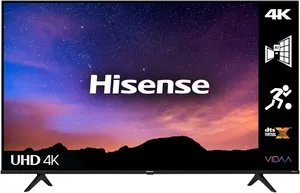
Hisense A6N 65"
3.9
TCL S5400A 55"
3.8
Samsung CU8000 55"
3.8
$468.05
Best OLED TVs in Australia
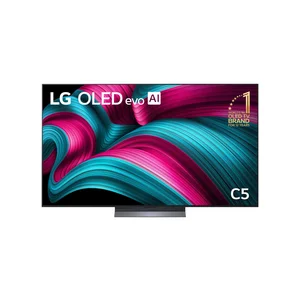
LG C5 65" OLED evo
4.7
$4391.37
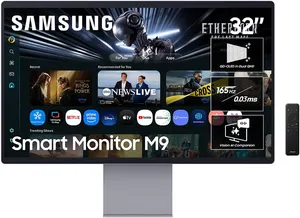
Samsung S95D 65" QD-OLED
4.8
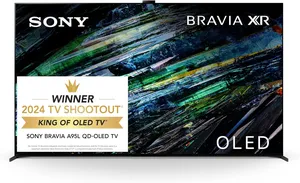
Sony Bravia XR A95L 65"
4.6
Best QLED & LED TVs in Australia
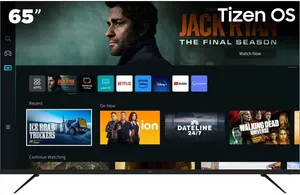
Samsung QN90D 65"
4.6
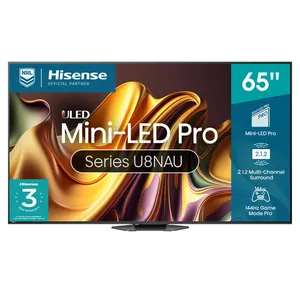
Hisense U8N 65"
4.6
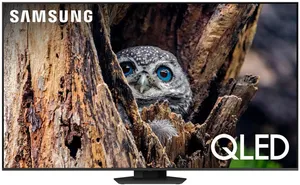
Samsung Q80D 65"
4.4
TVs jargon, explained
The acronyms and features you will run into shopping for tvs, in plain English. See the full glossary.
- Auto Low Latency Mode (ALLM)
- A handshake that automatically flips the TV into its low-lag game mode the moment it detects a console, then switches back when you go to streaming. Saves you digging through menus every time you swap. More →
- High Dynamic Range (HDR)
- A standard for brighter highlights and a wider range of colour, so a sunset or a chrome bumper actually pops. The catch on budget TVs is they support the format but lack the brightness to show it properly, so HDR on a dim panel is a logo more than a benefit. More →
- Input Lag
- The delay between you pressing a button and the result showing on screen, measured in milliseconds (ms). It barely matters for movies. For competitive gaming it is everything: under 20ms is excellent, 50ms or more is where you start feeling it. More →
- IPS Panel (IPS)
- An in-plane switching (IPS) LCD panel. Wide viewing angles so the picture holds up from the kitchen, but weaker contrast than a VA panel, which means blacks look more like dark grey in a dim room. The right pick for a wide or open-plan space. More →
- LED LCD (LCD)
- A liquid crystal display (LCD) lit by a bank of LED backlights. This is the standard, affordable TV. Picture quality depends heavily on the panel type and whether it has local dimming, so two LED LCDs at the same price can look very different. More →
- Local Dimming
- The TV dims the backlight behind the dark parts of the picture instead of lighting the whole panel evenly. More dimming zones means better contrast and less of that grey haze around bright objects on a black background. Cheaper sets skip it entirely. More →
- Mini LED
- A backlight made of thousands of tiny LEDs grouped into many dimming zones. It gets an LCD TV much closer to OLED-level contrast and brightness without the burn-in risk. The upgrade worth paying for if you want a bright-room TV with proper black levels. More →
- Nits
- The unit for screen brightness. Around 300 nits is fine for a dim room, 600 or more starts to handle a sunny lounge, and 1000-plus is where HDR highlights really land. The single most useful spec to check if your room gets a lot of daylight. More →
- Organic LED (OLED)
- A panel where every pixel makes its own light and switches fully off for black, so contrast is effectively infinite. The best picture money buys for a dark room. The trade-offs are a higher price and a small risk of burn-in if you leave a static logo on screen for hundreds of hours. More →
- Quantum Dot LED (QLED)
- An LED LCD TV with a quantum dot layer that boosts colour and brightness. It is Samsung's headline badge and the rung above plain LED. Brilliant in a bright room. It still cannot match an OLED for true blacks because the backlight is always on. More →
- Refresh Rate (Hz)
- How many times per second the screen redraws the image, measured in hertz (Hz). 60Hz is the floor and fine for streaming and free-to-air. 120Hz is the one gamers want because it handles fast motion and high-frame-rate console output far better. More →
- Ultra High Definition (UHD)
- Four times the pixels of old Full HD, also sold as 4K. It is the default resolution on basically every TV worth buying now, so it is less a feature and more a baseline. The picture quality difference between two 4K TVs comes down to the panel, not the pixel count. More →
- VA Panel (VA)
- A vertical alignment (VA) LCD panel. The trade is deep contrast and good blacks in exchange for narrow viewing angles, so the picture washes out if you sit well off to the side. Great for a TV you watch dead-on, less ideal for a wide lounge. More →
- Variable Refresh Rate (VRR)
- A feature that lets the screen change how often it redraws the picture on the fly to match the frame rate coming out of a console or PC. The payoff is smoother gaming with no screen tearing. On budget TVs it is often listed on the box but barely works in practice, so treat it as a tick only on mid-range panels and up. More →