How to Choose a QLED TV - Buyer's Guide
Last updated: 25 Apr 2026
QLED, Mini-LED, LED-LCD: What You Are Actually Buying
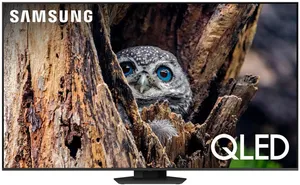
QLED is not its own panel technology. Every QLED is an LED-LCD TV with a quantum-dot film added between the backlight and the LCD layer. The quantum dots convert blue LED light into pure red and green, which produces a wider colour gamut than a basic LED-LCD without quantum dots. Samsung coined the QLED brand and now uses it across its entire premium LCD lineup. TCL, Hisense, and Vidaa license the technology and use the same QLED label.
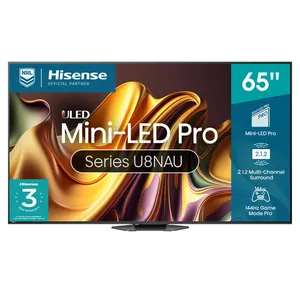
Mini-LED is an upgrade to the backlight, not the panel. Instead of a few dozen large LEDs lighting the back of the screen, a mini-LED set has thousands of tiny LEDs grouped into hundreds or thousands of dimming zones. More zones means the TV can light bright areas of the picture without bleeding into dark areas next to them. Almost every premium QLED in 2026 is also a mini-LED. The Samsung QN90D, Hisense U8N, and TCL C845 in our reviews are all mini-LED QLED. The Samsung Q80D is a regular full-array LED QLED without mini-LED.
OLED is a different technology entirely. Each pixel emits its own light, so blacks are perfectly black and there is no backlight to bleed. We cover OLED in the OLED buyer's guide. The shorthand for choosing between QLED and OLED: QLED gets brighter (better for sunny living rooms), OLED has perfect blacks (better for dark home cinema). 2026 mini-LED QLEDs have closed the gap on contrast but not eliminated it.
Brightness, Dimming Zones, and Why They Matter in Australian Living Rooms
Australian houses are sunny. North-facing living rooms in NSW and QLD get hammered with reflected daylight from morning to mid-afternoon, especially in summer. A TV that looks great in a Best Buy showroom in winter can be unwatchable in a Brisbane lounge in January if peak brightness is too low. This is the spec QLED is built to win.
Peak brightness in nits is the number to chase. The Samsung QN90D peaks at around 2,000 nits in HDR highlights. The Hisense U8N peaks at around 1,500 nits. The TCL C845 peaks at around 1,300 nits. The Samsung Q80D (no mini-LED) peaks at around 700 nits, which is fine for a curtained room but struggles in direct sun. A basic 2026 budget LED-LCD usually peaks at 350 to 500 nits.
Dimming zone count drives black-level performance. The QN90D has around 700 zones at 65 inches. The U8N has around 1,000 zones at 65 inches. The C845 has around 1,500 zones. More zones means tighter control over which parts of the screen are bright and which are dark. The trade-off you cannot beat: even 1,500 zones is still vastly less than the 8 million pixel-level zones an OLED has. You will see some light bloom around bright objects on dark backgrounds (white subtitles in a dark scene, stars in space). The brighter the backlight, the more obvious the bloom.
For mixed-use rooms with windows, a 1,500-nit-plus mini-LED QLED is the right call. For a dedicated dark cinema room where peak brightness rarely exceeds 200 nits in normal viewing, OLED makes more sense.
Resolution, HDR Formats, and What Your Streaming Stack Actually Supports
4K is the standard for any QLED at 55 inches or larger. 8K exists in this category (Samsung's QN800 and QN900 lines, Hisense's UX series) but content is essentially nonexistent in 2026. Free-to-air in Australia is still 1080i broadcast at best, BBC iPlayer doesn't reach Australia, Netflix's 4K library is not 8K, and 8K Blu-ray is not a format. Pay 8K money in 2026 only if you are future-proofing for ten years out, otherwise it is wasted spend.
HDR comes in four formats and your TV needs to support the right ones. HDR10 is the universal baseline, every HDR TV supports it. HDR10+ is dynamic-metadata HDR pushed by Samsung and Amazon, used by Amazon Prime Video and some 4K Blu-rays. Dolby Vision is the dynamic-metadata HDR pushed by everyone except Samsung, used by Netflix, Disney+, Apple TV+, and most 4K Blu-rays. HLG is broadcast HDR, used by some BBC and Sky productions, irrelevant in Australia.
The Samsung problem: Samsung TVs do not support Dolby Vision, ever, on any model. They only support HDR10+. If you watch a lot of Netflix, Disney+, or Apple TV+ in HDR, you will get the lower-quality HDR10 fallback on a Samsung QLED, while the same content plays in Dolby Vision on an LG, Sony, Hisense, or TCL. This is a real picture-quality difference on dynamic-HDR content. Hisense and TCL support both HDR10+ and Dolby Vision, which is part of why they win on value.
Gaming: Refresh Rate, VRR, ALLM, and HDMI 2.1
If you game on a PS5, Xbox Series X, or a PC with an RTX 30/40 series, the TV needs to do four things: 4K at 120Hz, variable refresh rate (VRR), auto low-latency mode (ALLM), and HDMI 2.1 ports with full 48Gbps bandwidth on at least two ports.
The Samsung QN90D has four full-bandwidth HDMI 2.1 ports, 144Hz panel, FreeSync Premium Pro, and ALLM. A leading gaming TV of its generation. The Hisense U8N has two HDMI 2.1 ports out of four total, 144Hz, and matches the QN90D's gaming feature set on paper. The TCL C845 has two HDMI 2.1 ports, 144Hz, FreeSync Premium Pro, and the lowest input lag in the category at around 5ms in Game Mode. The Samsung Q80D has two HDMI 2.1 ports, 120Hz (not 144Hz), and full VRR support, fine for console gaming, less ideal for PC gaming.
The trap to avoid: a sub-$1,000 budget LED-LCD that advertises "120Hz Motion Rate" or "240Hz CMI". These are interpolation marketing numbers, not real refresh rates. The actual native panel is 60Hz. Game modes will refuse 4K/120Hz inputs from a console. Always check the native panel refresh rate before you buy.
One HDMI port on most TVs (usually HDMI 3) doubles as the eARC port for soundbar pass-through. If you have a Sony PS5, Xbox Series X, and a Sonos Arc soundbar all wanting HDMI 2.1, you need three HDMI 2.1 ports. Many TVs only have two. This is a real problem if your setup is gaming-heavy. Sony's TVs are notably stingy here, with only two HDMI 2.1 ports across the lineup.
Smart Platforms: Tizen, Google TV, Vidaa, and Why It Matters
The smart TV operating system is the thing you actually use every day, more than the panel. Four platforms dominate the Australian market in 2026.
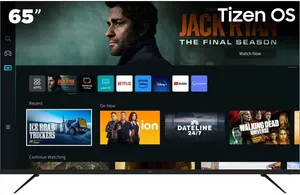
Samsung Tizen ships on every Samsung QLED. Fast, stable, all major Australian apps (9Now, iView, SBS On Demand, 10 Play, Stan, Binge, Kayo, Foxtel Now, Disney+, Netflix, Amazon Prime). The downside is heavy ad load on the home screen and aggressive data collection that requires opt-out in three different settings menus. No Google Assistant, no Chromecast built in (you can side-load Apple AirPlay 2). Samsung has a track record of dropping app support after 5 to 7 years.
Google TV ships on Sony, Hisense, and TCL TVs. Cleaner UI, native Chromecast, native Google Assistant, all major Australian apps work. Updates are slower than Samsung's, and the home screen is also ad-heavy in 2026. The Google TV strength is the long support tail: even 8-year-old units still get app updates. Hisense and TCL ship Google TV; their entry-level lines (Hisense Vidaa, TCL Vidaa) ship with the in-house Vidaa OS instead, which is leaner but has a smaller app catalogue.
LG webOS ships on every LG (mostly relevant for the OLED guide, but the LG QNED LCD lineup uses it too). All major Australian apps. Cleanest UI of any platform. Same long support history as Google TV.
Vidaa OS (Hisense, TCL entry-level) is fine but has the smallest app catalogue. Foxtel Now, Binge, Kayo, all the local catch-up apps work. Some niche apps (some podcast players, the Apple Music app) are missing. If you mostly use the big-five (Netflix/Disney+/Stan/Prime/AppleTV+), Vidaa is fine.
Audio: Why Built-In Speakers Are Not Enough
Every flat-panel TV in 2026 has weak built-in audio because the panel is too thin to fit a real speaker enclosure. The Samsung QN90D's 4.2.2-channel built-in is among the best in the QLED category and is still inferior to a $300 soundbar. If you care about dialogue clarity in dramas, bass impact in action films, or music quality at all, you need a soundbar.
The connection that matters is HDMI eARC (enhanced audio return channel). eARC carries lossless surround formats (Dolby Atmos, Dolby TrueHD, DTS:X) from the TV's app stack to the soundbar over a single HDMI cable. Every QLED in this guide supports eARC. A pre-2019 TV with optical-only audio will downsample Atmos to lossy Dolby Digital Plus.
If you do not want a soundbar yet, the QN90D's built-in is a solid fallback. The TCL C845 has a built-in 2.1.2 speaker with up-firing drivers that does a passable Atmos approximation for under-$1,500 money. Hisense U8N has a 2.1.2 with subwoofer and is also competent. Samsung Q80D's built-in is the weakest of the four and especially benefits from a soundbar.
Australian Price Tiers in 2026 and What Each Buys You
Budget tier ($600 to $1,000) at 55 to 65 inches: Hisense A6N, Samsung CU8000, TCL S5400A, Kogan branded LCDs. These are basic LED-LCDs without QLED quantum dots and without mini-LED. Picture is fine for daytime free-to-air and Netflix, struggles with HDR (low peak brightness, narrow colour gamut), no real gaming chops (60Hz panels). Buy here if the TV lives in a guest room, kid's room, or rental property. Expected lifespan 5 to 7 years.
Mid-range ($1,000 to $2,000) at 55 to 65 inches: Samsung Q80D ($1,299 to $1,499), TCL C845 ($1,299 to $1,599 at 65"), entry mini-LED Hisense U7N. Real QLED with full-array dimming, 120 to 144Hz panels for gaming, full HDMI 2.1 on at least two ports, 600 to 1,000 nits peak brightness. The sweet spot for a primary lounge TV in a window-bright Australian living room. Expected lifespan 7 to 10 years.
Premium tier ($2,000 to $3,500) at 65 inches: Samsung QN90D ($2,299 to $2,699), Hisense U8N ($1,799 to $2,199 on sale), Sony X95L. True mini-LED QLED with 1,000 to 2,000 nits peak brightness, 1,500 to 2,000 dimming zones, all the gaming features, class-leading processors. The right call for a bright living room and serious console gaming. Expected lifespan 8 to 10 years.
Flagship tier ($3,500 plus) at 65 inches and up: Samsung QN95D, Sony Bravia 9 (X95L successor), Hisense ULED X UX. The point of diminishing returns for most buyers. The QN90D at $1,000 less delivers 90 percent of the picture. Spend the extra in this tier only if you have a calibrated home cinema room and watch enough HDR content to justify the brightness ceiling.
Sales matter. JB Hi-Fi, The Good Guys, Harvey Norman, and Bing Lee all run major TV sales around EOFY (June), Boxing Day, and Click Frenzy (May, November). A $2,699 QN90D drops to $2,299 routinely on sale. Never pay RRP for a TV in Australia.
Where to Buy in Australia and Why It Matters for ACL
The retailer you buy from determines who you fight when the TV fails. Under the Australian Consumer Law, the retailer carries the consumer guarantee, not the manufacturer. The 1 or 2 year manufacturer warranty is the floor; the ACL's reasonable-durability standard for a $2,000-plus TV is 5 to 8 years minimum.
JB Hi-Fi is our default recommendation for premium TVs. Best Australian service network for tech, large display showrooms, takes ACL claims seriously, will price-match Harvey Norman and The Good Guys on the spot. Their Care Plus extended warranty is rarely worth the money because the ACL covers most of what it covers.
The Good Guys matches JB on most lines, sometimes cheaper on display models, weaker on tech depth in store but strong on white goods. Concierge program offers minor discounts.
Harvey Norman is fine for the transaction but their service reputation is weaker. The franchisee model means experience varies dramatically by store.
Bing Lee (NSW only) is often cheaper than the chains by 5 to 10 percent. Smaller service network so factor that in for warranty turnaround.
Costco sells TVs at near-cost with a generous 90-day return window. The catch is limited model selection (they stock whatever the buyer scored a deal on this quarter) and you need a $60 membership.
Samsung and Hisense sets are widely discounted online, but third-party marketplace sellers have weaker ACL accountability. Stick to listings sold by a recognised Australian retailer or the brand's official Australian storefront.
Manufacturer direct (Samsung Direct, Hisense Direct) is rarely cheapest but is the cleanest channel for ACL claims because there is no retailer in the middle. Worth considering for premium models if the price is competitive.
What to Test in the First 30 Days (Before Wall-Mounting)
QLED panels can ship with manufacturing defects that are easier to claim against in the first 30 days than after wall-mounting. Run this checklist on day one.
Dead pixels. Run a full-screen black, white, red, green, and blue test pattern (search YouTube for "TV pixel test" or use AVSForum's free pattern site). Look for stuck pixels (always-on coloured dot) and dead pixels (always-off black dot). Most manufacturers' policies require multiple dead pixels in a small cluster before they call it a defect, but the ACL's reasonable-quality standard is stronger. A single dead pixel on a $2,500 TV is not what a reasonable consumer would expect. Document with photos and claim immediately.
Backlight bleed and dirty-screen effect. Display a full-screen 5 percent grey image in a dark room. Look for clouds of brighter grey, vertical or horizontal banding, or visibly different brightness in the corners. Mini-LED TVs are usually excellent here. Edge-lit LCDs are usually poor. Severe bleed is grounds for return.
Audio sync. Stream a talking-head video from any major app and watch lip movement match audio. Persistent audio lag is a software defect that manufacturers can usually fix in firmware but the bug is real on some brand-new models for the first 30 days while patches roll out.
Smart-app stability. Open every app you intend to use (9Now, iView, Stan, Netflix, Disney+, Kayo, Binge, Apple TV+, YouTube) and confirm each loads and plays. Some new TVs ship with broken localised app builds for Australia that take 30 to 60 days to fix.
Game-mode input lag (if you game). Use Rtings or HDTV Test's input lag test pattern. Anything over 25ms in Game Mode is a problem on a TV that advertises gaming features. Document and claim if so.
If any of the above fails in the first 30 days, return for a full refund or exchange under the retailer's return policy and the ACL major-failure rules. Do not let the retailer push you to repair when a swap is appropriate. Wait at least 30 days before wall-mounting because a wall-mounted TV is a much harder ACL fight than a stand-mounted one.
My Top Picks
Ready to pick one?
Check out my ranked list with scores, prices, and AU availability.
See the Best QLED & LED TVs