How to Choose a Budget TV - Buyer's Guide
Last updated: 25 Apr 2026
What Budget Actually Means in 2026
Budget TV pricing in Australia in 2026 lands at $400 to $1,000 for a 55-to-65-inch 4K Smart TV. Below $400 you are in the territory of small (43-inch) panels or 1080p resolution that does not meaningfully exist as a sensible buy in 2026. Above $1,000 you are in mid-range mini-LED or entry-tier OLED, which are different categories entirely (covered in our QLED and OLED buyer's guides).
The Australian budget TV market has consolidated to four genuine players: Hisense (mainstream value, made in China by an established brand), TCL (mainstream value, similar profile), Kogan (Australian-branded reseller of generic Chinese OEM panels), and Samsung CU8000 series (entry-tier from the premium brand). Below this tier (no-name brands at Big W, Kmart for $250) the panels are typically 60Hz, low-brightness, basic apps, with 2-3 year realistic lifespans. They work for guest rooms and rentals; not for primary lounges.
Panel Type: LED-LCD Is What You Are Buying
Every budget TV in 2026 is a basic LED-LCD with edge-lit or direct-lit backlighting. No quantum dots, no mini-LED, no OLED. That sounds disappointing on a spec sheet but in practice the picture quality at 1080p and most 4K SDR content is genuinely fine for living-room viewing distances of 2-3 metres.
What you are losing versus QLED and OLED:
- HDR looks worse because peak brightness is 350-500 nits versus 1,000+ nits on premium tiers. HDR content (Netflix HDR, Disney+ HDR, 4K Blu-ray) shows but the highlights are washed out.
- Local dimming is absent; whole-screen brightness drops in dark scenes (no zone control). Black levels in a dark room look more grey than black.
- Colour gamut is around 80-90% DCI-P3 versus 95-100% on premium tiers. Vibrant content looks slightly muted by comparison.
- Motion handling is 60Hz native (most budget TVs) with frame interpolation that makes 24fps film content look like soap opera (the dreaded soap opera effect). Disable Motion Smoothing in settings on day one.
What you keep: 4K resolution that looks sharp, all the modern smart TV apps, eARC for soundbar pass-through, HDMI 2.0 for PS5 / Xbox Series X at 4K 60FPS (not 120FPS).
Smart Platforms at the Budget Tier
Budget TVs in Australia ship with one of three smart platforms in 2026, and the OS choice matters more than the panel for everyday use because you interact with the OS far more than the picture quality at this price point.
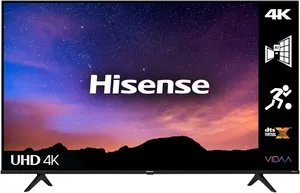
Vidaa OS ships on Hisense and TCL entry tiers (Hisense A6N, TCL S5400A). Lean and fast, all major Australian apps work (9Now, iView, SBS On Demand, 10 Play, Stan, Binge, Kayo, Foxtel Now, Disney+, Netflix, Amazon Prime, Apple TV+). Smaller app catalogue than Google TV; some niche apps missing. Updates are erratic.
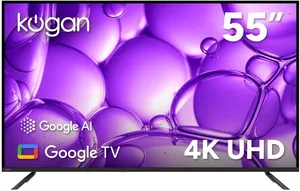
Google TV ships on higher Hisense and TCL configs, plus all Sony budget LCDs. Cleaner UI, native Chromecast and Google Assistant, broader app catalogue including PSEH (Foxtel parent) niche apps. Slower updates but a longer support tail (5-7 years of app updates is realistic).
Samsung Tizen ships on the Samsung CU8000 entry-tier OLED. Same platform as the premium Samsung QLEDs and S95D OLED. Fast, stable, all major Australian apps but heavy ad load on the home screen and aggressive data collection that requires opt-out in three different settings menus.
For most budget buyers, Google TV is the recommended platform. Vidaa is acceptable if the only apps you use are the major streamers. Tizen is fine if you specifically want the Samsung ecosystem and are willing to accept the ad load.
What to Avoid at the Budget Tier
Specific traps to avoid when shopping budget TVs in 2026.
Avoid TVs marketing 'Motion Rate 240' or '240Hz CMI' or '120Hz Motion Smoothing.' These are interpolation marketing numbers, not real refresh rates. The actual native panel is 60Hz. Game modes will refuse 4K/120Hz inputs from a console even though the box claims 120Hz. Always check the native panel refresh rate (the actual hardware spec) before buying.
Avoid 8K budget TVs. They exist but content is essentially nonexistent in 2026 and the budget panel cannot upscale 4K content to look meaningfully better than a native 4K panel of the same price. The 8K marketing is a tax on people who do not know better.
Avoid 1080p TVs at any size above 32 inches. 4K is the standard now and 1080p panels at 43+ inches show pixels at typical viewing distances.
Avoid TVs without HDMI 2.0 ports rated for 60Hz at 4K. Some sub-$400 sets have HDMI 1.4 only, which caps 4K at 30FPS. Check the spec sheet.
Avoid extended warranties at this tier. The Australian Consumer Law's reasonable-durability standard for a $700 TV is 4-6 years, well beyond the 1-year manufacturer warranty. Care Plus and equivalent at $99-149 mostly duplicate ACL coverage and rarely pay out for the failure modes that matter.
Avoid Hisense and TCL configurations sold exclusively through Costco or Big W. These are sometimes lower-spec variants of the equivalent brand-name model (cheaper backlight, lower-tier panel) sold for the major-retailer channel. Cross-check the model number against RTINGS or Whirlpool reviews.
Australian Price Tiers in 2026 at 55 to 65 Inches
Entry-entry ($300 to $500) at 55 inches: Kogan 55-inch 4K Smart TV ($399), Hisense A6N 55-inch ($499), TCL S5400A 55-inch ($449), no-name brands at Big W and Kmart. Adequate for guest rooms, kids' rooms, rentals. 60Hz panels, basic HDR (no real difference vs SDR), small app catalogue. Expected lifespan 3-5 years.
Solid budget ($600 to $900) at 55 to 65 inches: Hisense A6N 65-inch ($699), TCL S5400A 65-inch ($799), Samsung CU8000 55-inch ($699-799), Hisense U7N 55-inch ($899). The sweet spot for primary lounge TVs on a budget. Better backlights, slightly better HDR, full HDMI 2.0 for console gaming, mature smart-platform apps. Expected lifespan 5-7 years.
Premium budget ($900 to $1,200) at 65 inches: Hisense U7N 65-inch ($999-1,099), TCL Q7C 65-inch ($1,099), entry mini-LED variants. The crossover into mid-range territory; mini-LED with real local dimming, 120Hz panels for gaming, Dolby Vision support. The right tier for buyers who would otherwise stretch to a Samsung Q80D or Hisense U8N at $1,500-2,000.
Sales matter. JB Hi-Fi, The Good Guys, Harvey Norman, Officeworks, and Big W all run major budget TV sales around EOFY (June, biggest), Click Frenzy (May, November), Boxing Day (December), and back-to-school (January, February). A $999 Hisense U7N drops to $799 routinely. Never pay full RRP at the budget tier.
Where to Buy and Why It Matters for ACL
Australian Consumer Law for budget TVs follows the same retailer-first rule as premium TVs. The reasonable-durability standard for a $700 TV is 4-6 years; for a $1,000 TV is 5-7 years.
JB Hi-Fi is the price leader and easiest ACL claim path for most budget TVs. Care Plus extended warranty rarely worth the spend at this tier; ACL covers most realistic failure modes (panel issues, backlight failure, HDMI port failure).
The Good Guys matches JB on most budget lines, sometimes cheaper on display models. Concierge program offers minor discounts.
Harvey Norman is fine for the transaction but service reputation is weaker; franchisee model means experience varies dramatically by store. Acceptable for budget TVs because the financial risk is lower.
Big W and Target Australia stock entry-tier Hisense and TCL configurations at competitive pricing, especially during Toy Sale (June) and Boxing Day. Acceptable for non-primary TVs (kids' rooms, guest rooms).
Costco stocks rotating budget TV configurations at near-cost, with a generous 90-day return window. Limited model selection (whatever the buyer scored this quarter) and you need a $60 membership.
Officeworks stocks limited budget TV configurations, occasionally cheaper than JB. Strong ACL claim path through familiar retailer channel.
Kogan direct is the channel for Kogan-branded TVs. Their Australian service is acceptable but turnaround is typically 14-21 days for warranty claims (couriered to Melbourne).
For all budget TVs, document the purchase invoice and photograph the model number sticker on the back of the panel within the first week. ACL claims at the budget tier are usually granted by retailers without much fuss, but documentation makes the process faster.
What to Test in the First 30 Days
Budget TV defect screening in the first 30 days catches issues before they become harder ACL claims. The defect rates at the budget tier are higher than at premium tiers; testing matters.
Dead pixels. Run a full-screen black, white, red, green, blue test pattern. Look for stuck pixels (always-on coloured dot) and dead pixels (always-off black dot). Budget TVs ship with higher defect rates; multiple dead pixels in a small cluster is grounds for return.
Backlight bleed and uniformity. Display a full-screen 5 percent grey image in a dark room. Look for clouds of brighter grey, vertical or horizontal banding, or visibly different brightness in the corners. Edge-lit budget TVs commonly show some bleed; severe bleed (more than the bottom 5 cm of the panel) is grounds for return.
HDMI ports. Test each HDMI port with a known-working device (PS5, Apple TV, soundbar). Some budget TVs ship with one or two ports rated lower than the spec sheet (HDMI 1.4 instead of 2.0); test with 4K content to confirm.
Audio sync. Stream a talking-head video and watch lip movement match audio. Persistent audio lag is a software defect that manufacturers can fix in firmware but the bug ships on some new budget TVs.
Smart-app stability. Open every app you intend to use (9Now, iView, Stan, Netflix, Disney+) and confirm each loads and plays. Some budget TVs ship with broken localised app builds for Australia.
If any of the above fails in the first 30 days, return for full refund or exchange under the retailer's return policy and the ACL major-failure rules. Do not accept a repair quote on a $700 TV; demand swap or refund.
My Top Picks
Ready to pick one?
Check out my ranked list with scores, prices, and AU availability.
See the Best Budget TVs (Under $1000)